
Business Phone Systems for Manufacturing Plants
One phone system for the office, the plant floor and the people who are never at a desk. A manufacturing phone system should reach people on a loud floor with overhead paging and connect the paging amplifiers and speakers you already have. It should also put every plant, warehouse and office on one system with extension dialing. PeachComm sets this up on Webex Calling, with Cisco desk phones and Cisco-certified Poly and Yealink phones, from $24 per user per month.
PeachComm — a Cisco partner.

What phone system does a manufacturing plant need?
A manufacturing plant needs a way to reach people on a loud floor, phones that work for the office and the plant, routing that follows your shifts, and one system across every building and site.
- Reaching the floor. Overhead paging from a desk phone button or from the Webex App, so announcements reach people away from a phone.
- Keeping what works. Your existing paging amplifier and speakers can usually stay, connected to Webex Calling with an adapter.
- Office plus plant. Desk phones in the office and at shipping and receiving, and the Webex App for supervisors who walk the floor.
- Shift work. Call queues and schedules send calls to whoever is on shift.
- Several buildings or sites. Each plant, warehouse and office is its own location, with its own local number and extension dialing between sites.
How do you reach people on a loud plant floor?
Use overhead paging. Page the overhead speakers from a desk phone button or from the Webex App on your computer or phone. Pages are one-way announcements that play through an Algo IP speaker or paging adapter connected to your overhead speakers. Supervisors who walk the floor can also make and take calls on the Webex App from their cell phones, so a call can reach them away from a desk. We register your business name for caller ID; how it displays depends on the recipient's carrier.
Can we page the plant from the Webex App on a cell phone?
Yes. Each Algo paging device is set up in Webex as its own device with its own extension. To page, staff press a one-touch page button on a desk phone, or dial that extension from the Webex App. The Algo device answers automatically and plays the announcement over the speakers. Paging is one-way voice, so staff talk and the floor listens. Each building or area can have its own paging device and extension, so you can page one area at a time.
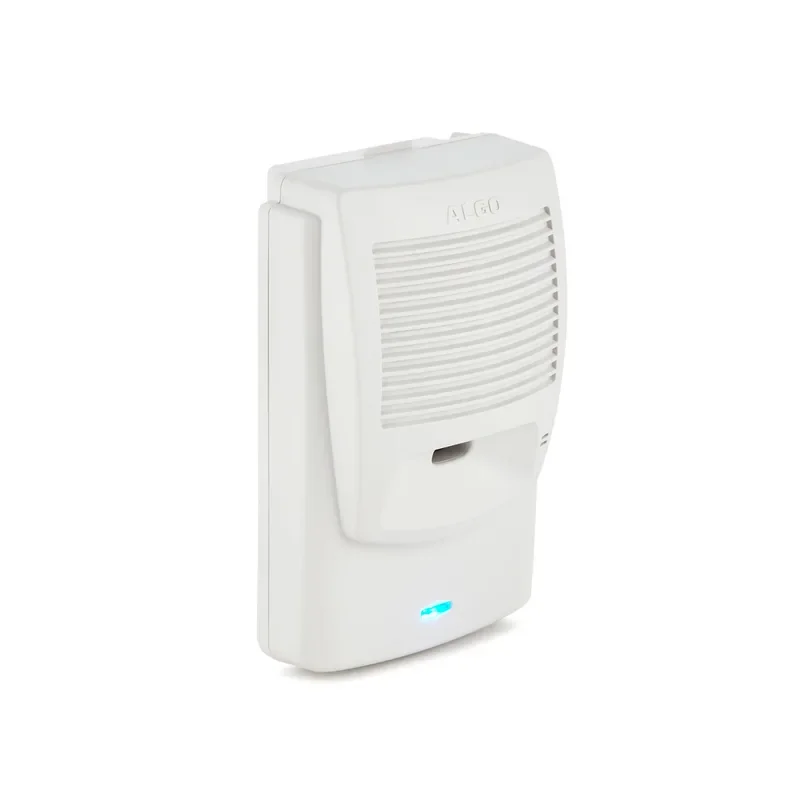
Can we keep our existing paging amplifiers and speakers?
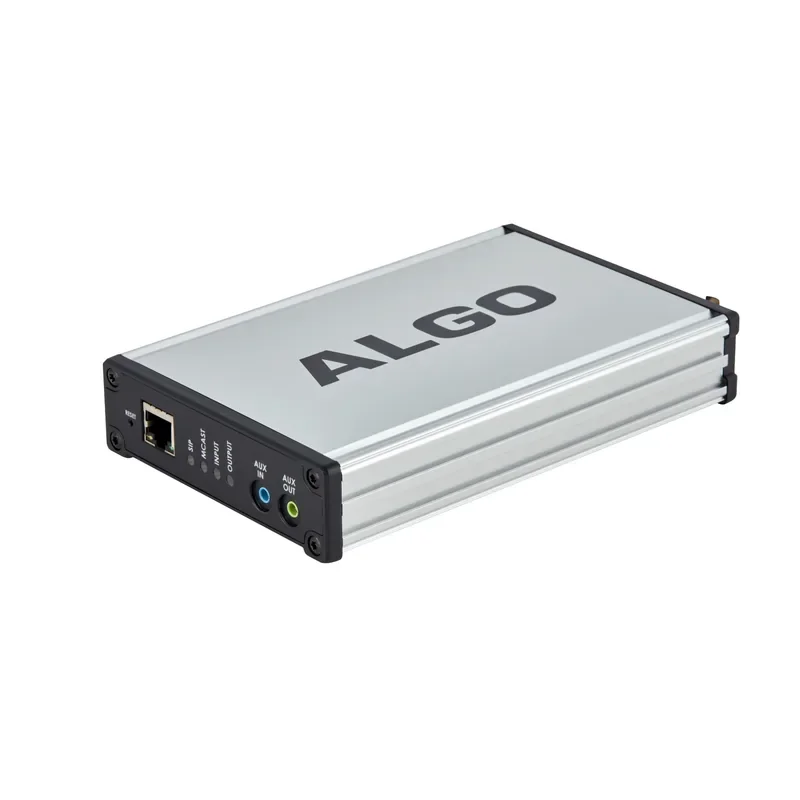
In most cases, yes. Analog phones and devices can connect to Webex Calling with an analog adapter (ATA). If you already have an overhead paging amplifier, we can usually connect it with a paging adapter or an ATA. That protects what you've already spent on amps, horns and speakers, which can usually stay in place.
- Algo IP speakers and paging adapters, including connecting to your existing overhead paging amplifier.
- Algo 8301 IP Paging Adapter & Scheduler connects Webex Calling to an existing amplifier.
- Algo 8180 IP Audio Alerter works as an IP speaker, and it can also act as a paging adapter.
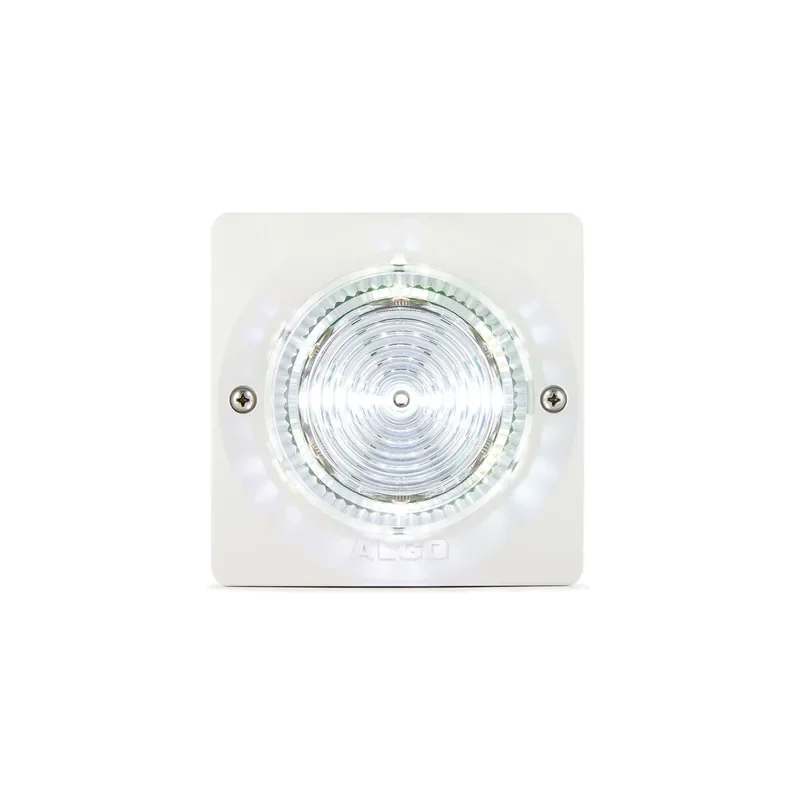
What about visual alerts for loud areas?
Some areas are too loud for anyone to hear a ring or a page. Algo IP visual alerters, such as the Algo 8128 IP Visual Alerter and the Algo 8138 IP Color Visual Alerter, connect to Webex Calling and can flash when a call rings or a page plays, so people in loud areas know to check a phone or listen for a page. We'll set them up for the areas that need them. Visual alerts help people notice calls and pages, but they aren't life-safety, fire alarm or emergency notification devices.

What happens to elevator, alarm, gate, fax and card terminal lines?
- Elevator, alarm and gate lines, plus some card terminals: if they still dial out on a copper line, PeachComm's POTS line replacement can move that line to a cellular device with battery backup, subject to local code approval, from $55 per line per month plus the device. For fire alarm lines, your alarm company and the local authority having jurisdiction have the final say.
- Fax: Fax2Mail send-and-receive lines are $24 per line per month, and receive-only fax is included.
- Analog devices: an analog adapter (ATA) connects analog phones and devices to Webex Calling.
Can every plant, warehouse and office be on one system?
Yes. Each plant, warehouse and office can have its own local number, and staff can reach each other by extension across every site. Each site is set up as its own location with a short dialing prefix (a location routing prefix), and every site shares one admin view and one PeachComm bill. We set up each location's emergency address so 911 calls from your office phones report where you are. Staff working remotely on the Webex App can set their own emergency address. Plants outside the US can join the same Webex Calling system, so staff dial each other by extension and use the Webex App on desk phones, computers and cell phones. Local numbers, emergency calling and calling rules vary by country, so we confirm what's available for each site before setup.
How do calls reach the right people across shifts?
Give each team its own line. Call queues hold callers for shipping and receiving or customer service, so whoever is on shift answers, and schedules change where calls go after hours. Your admin can update routing and the on-call number from a web browser, or we'll do it for you. Users can update their own call forwarding from the Webex App or a web browser.
Which phones work best in a plant?
- Cisco desk phones for offices, shipping desks and supervisor stations. We recommend the Cisco 8841.
- Wi-Fi desk phones for spots without a network drop, where your Wi-Fi covers the area: the Cisco 9861 and the Yealink T73W.
- Poly Edge E350 and E450 desk phones.
- The Webex App on cell phones for supervisors on the floor.
See all desk phones.
Already have desk phones? If your Cisco, Poly or Yealink phones are on our supported phones list, we can likely convert them to work on PeachComm, so you may not need new phones. Some phones need a software update or a conversion first, and older models may need to be replaced. We'll check each model before you switch.
What you get
- Webex Calling at every plant, warehouse and office on Cisco desk phones and Cisco-certified Poly and Yealink phones
- Overhead paging from desk phone buttons and from the Webex App, through Algo IP speakers and paging adapters
- Paging adapters or ATAs to connect your existing overhead paging amplifier
- A location, local number and emergency address for each site, with extension dialing between sites
- Call queues for shipping and receiving or customer service lines
- The Webex App on computers and cell phones for supervisors and office staff
- Cisco Call for Microsoft Teams, included on every plan at no extra charge
- Fax2Mail for fax numbers, and POTS line replacement for elevator, alarm and gate lines, subject to local code approval
- Calls are encrypted in transit between your Webex apps, phones and the Webex cloud.
- One PeachComm bill for every site, and moves, adds and changes handled by PeachComm
- Optional: Attendant Console* for a busy front desk or receptionist
- Optional: Customer Assist* for a customer service or order desk team that needs supervisor tools, queue reporting and AI assistance
- Optional: On-Hold Messaging*: upload your own message, and we'll set it up for customers and suppliers on hold
- Optional: AI Receptionist* to answer routine calls when the front office is busy
- Optional: Number Reputation Management*, with weekly checks of your numbers for spam and scam labels at the major carriers
*Additional charges apply.
How switching works
- We port your numbers, so customers, suppliers and carriers keep calling the numbers they already have.
- We move one site at a time. We set up each site's location, numbers, call queues and paging with you, including any existing paging amplifier, then test before go-live. The next site follows when the first one is running smoothly, so a plant never switches everything at once.
- We train your team and stay available. Most support is remote, and an on-site technician is available upon request.
Plans
- Basic: $24/user/month. Calling, auto attendant, queues, voicemail, call recording and AI call summaries.
- Standard: $34/user/month. Adds team messaging and meetings for up to 100 people.
- Premium: $39/user/month. Adds meetings for up to 1,000 people and cloud meeting recording.
Prices are for accounts with 2 or more users. Mix plans on one account. Compare all plans
How it works
Example: Cloud calling without new speakers. A plant with an aging on-site phone system and a working overhead paging amplifier wanted to move to the cloud without replacing its horns and speakers. PeachComm connected the amplifier through a paging adapter, put one-touch page buttons on the desk phones, and set up the Webex App so supervisors can page the floor from a cell phone.
Example: Adding a warehouse to the system. A company opening a new warehouse wanted it on the same system as its plant and office. PeachComm set up the warehouse as its own location with a local number, a shipping and receiving call queue and its own emergency address, so staff now dial the plant and office by extension.
Example: Plants in the US and abroad on one system. A large manufacturer wanted its plants in the US and abroad on one system with extension dialing, instead of a separate phone system at each plant. PeachComm set up each plant as its own location, connected every plant with extension dialing, and moved the plants over one at a time.
These are typical examples.
Manufacturing phone system FAQs
What's the best phone system for a manufacturing plant?
The best manufacturing phone system covers the office and the plant floor on one system: desk phones, overhead paging, the Webex App for supervisors who walk the floor, and extension dialing between sites. PeachComm sets this up on Webex Calling, starting at $24 per user per month for accounts with 2 or more users.
Can we keep our existing paging speakers?
In most cases, yes. If you already have an overhead paging amplifier, we can usually connect it with a paging adapter or an ATA, so your existing amplifier, horns and speakers stay in place. The Algo 8301 IP Paging Adapter & Scheduler is one option. Tell us what you have today, and we'll recommend the right adapter.
Can we page from a cell phone?
Yes. Each Algo paging device is set up in Webex as its own device with an extension. Staff dial that extension from the Webex App on a computer or cell phone, or press a one-touch page button on a desk phone. The Algo device answers automatically and plays the announcement overhead. Paging is one-way voice.
How do we alert workers in loud areas?
Start with overhead paging, so announcements reach the floor from a desk phone button or from the Webex App. Supervisors can also carry the Webex App on their cell phones and take calls away from a desk. If parts of your floor are too loud for speakers alone, ask PeachComm about visual alerts.
What happens to our elevator and alarm lines?
If they still dial out on a copper line, PeachComm's POTS line replacement can move each line to a cellular device with battery backup, subject to local code approval, from $55 per line per month plus the device. For fire alarm lines, your alarm company and the local authority having jurisdiction have the final say.
Can we keep our existing desk phones?
Often, but not always. If your Cisco, Poly or Yealink phones are on our supported phones list, we can likely convert them to work on PeachComm, so you may not need new phones. Some phones need a software update or a conversion first, and older models may need to be replaced. We'll check each model before you switch.
Get a quote for your plant
Tell us how many sites you have, how many phones are in each one, what paging amplifier and speakers you use today, and which elevator, alarm, gate or fax lines still run on copper. We'll recommend a setup with clear pricing.