
HIPAA Compliant Phone System for Healthcare
PeachComm business phone service runs on Cisco Webex Calling, which is HIPAA-ready. Cisco has had Webex Calling independently assessed against the HIPAA Security Rule, and every call is encrypted in transit. A phone system becomes part of a HIPAA-compliant setup once the right settings are configured: passwords and sign-in, voicemail PINs, and who can record and listen to calls. PeachComm sets them up with your practice.
PeachComm — a Cisco partner.

What makes it HIPAA-ready
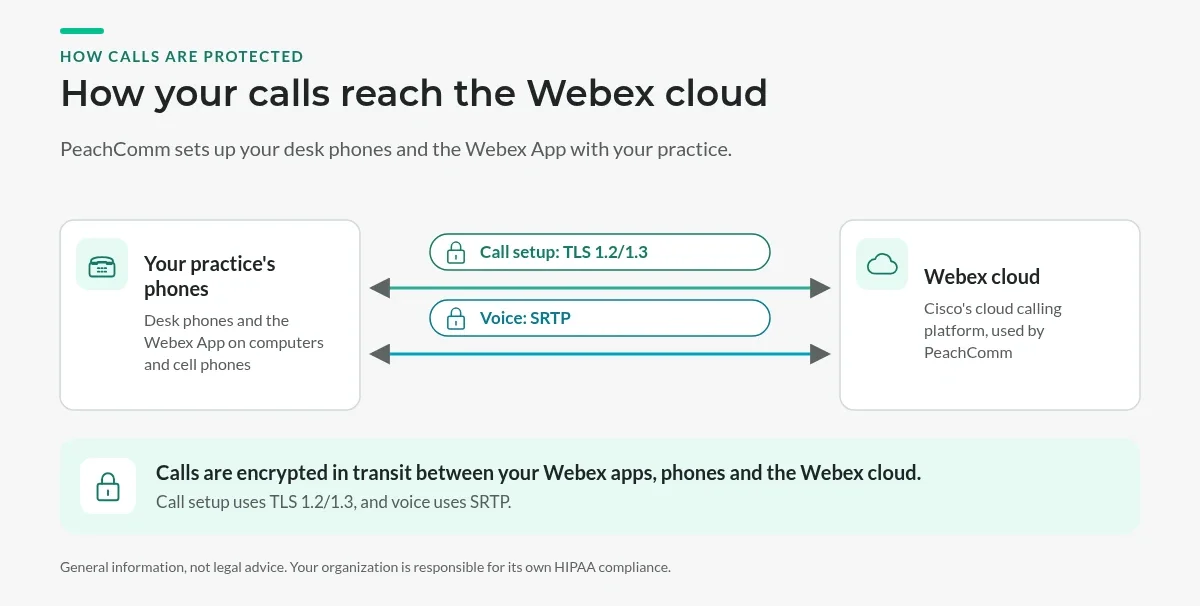
- Encrypted calls. Call setup is protected with TLS 1.2/1.3, and the voice itself is encrypted with SRTP. Calls are encrypted in transit between your Webex apps, phones and the Webex cloud.
- Independent assessment. An independent CPA firm examined Cisco's Webex security program against the HIPAA Security Rule. Cisco also holds ISO 27001 and SOC 2 Type II certifications for Webex Calling.
- Admin controls. Your admins decide who can see call history, voicemail and recordings.
The settings we configure for HIPAA
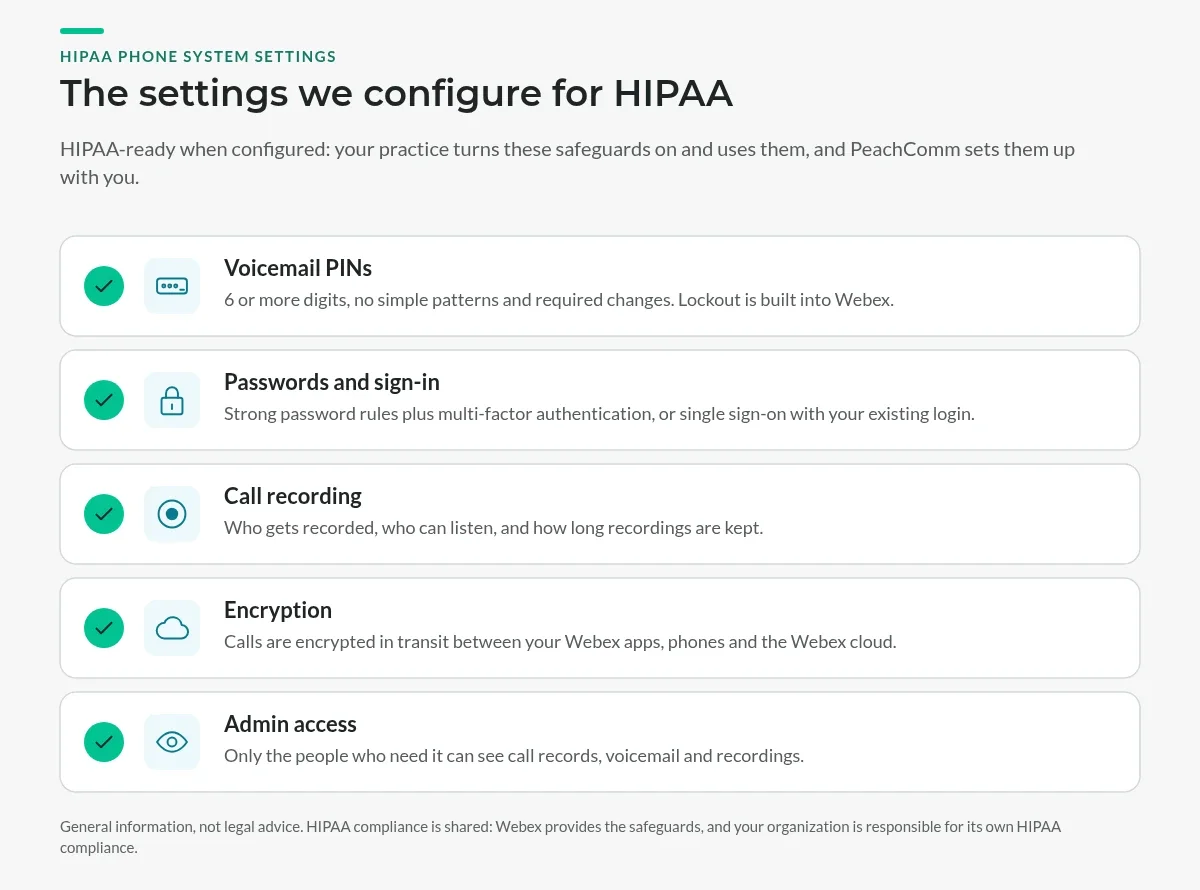
HIPAA compliance is shared. Webex provides the safeguards, and your practice has to turn them on and use them. Here's what we set up with you:
- Voicemail PINs: 6 or more digits, no simple patterns and required changes. Webex also has a built-in lockout after 3 wrong tries.
- Passwords and sign-in: strong password rules plus multi-factor authentication, or single sign-on with your existing login.
- Call recording: who gets recorded, who can listen, and how long recordings are kept.
- Encryption: Calls are encrypted in transit between your Webex apps, phones and the Webex cloud.
- Admin access: only the people who need it can see call records, voicemail and recordings.
Why it matters
HHS can fine organizations for each HIPAA violation, from $145 up to $73,011 per violation, with a cap of $2,190,294 per year for each type of violation (current HHS amounts).
This page is general information, not legal advice. Your organization is responsible for its own HIPAA compliance.
Built for busy practices
Beyond security, you get the features a front desk needs: auto attendant, call queues, after-hours schedules, the Webex App on providers' phones with the practice's caller ID, and Cisco, Poly and Yealink desk phones. See Business Phone Systems for Medical & Dental Offices, Fax to Email and Plans & Pricing.
Already have desk phones? If your Cisco, Poly or Yealink phones are on our supported phones list, we can likely convert them to work on PeachComm, so you may not need new phones. Some phones need a software update or a conversion first, and older models may need to be replaced. We'll check each model before you switch.
HIPAA phone system FAQs
Is Webex Calling HIPAA compliant?
Webex Calling is HIPAA-ready. Cisco has had it independently assessed against the HIPAA Security Rule, and calls are encrypted in transit. Compliance also depends on how your practice configures and uses it, including passwords, voicemail PINs and recording access, which PeachComm helps you set up.
Do you sign a Business Associate Agreement (BAA)?
Business Associate Agreements (BAAs) are available upon request.
Are calls encrypted?
Yes. Call setup uses TLS 1.2/1.3 and the voice is encrypted with SRTP. Calls are encrypted in transit between your Webex apps, phones and the Webex cloud.
Is voicemail secure?
Voicemail is protected by a PIN policy we configure: at least 6 digits and no simple patterns. Webex also locks the mailbox after failed attempts, and that lockout is built in. If you send voicemail to email, those messages land in your email system, so your email needs to be secured for patient information too.
Can we record calls with patients?
Yes. You control who is recorded, who can listen, and how long recordings are kept. Recording laws vary by state, and some require every party's consent, so your practice is responsible for any notice to callers.
Can we fax patient records?
Yes. Many practices use PeachComm fax to email so faxes arrive as email attachments instead of sitting on a shared machine. Because those faxes land in your email, your email system needs to be secured for patient information as well.
Talk to us about your practice
Tell us how many people answer phones and what you use today. We'll show you how the HIPAA settings work before you decide.